LIVE
PRODUCT SPEEDTOOLS / 2026
STATUS ON-AIR
OPS --:--:-- CT
Race broadcast software · Built for live motorsports

Broadcast tools for motorsport.

One family of tools for every part of race day. GraphicsBuddy puts live graphics on air, SpotterNet turns radio into replays, ProdStaff Live and SpeedProd.App run the production, and BCComms keeps the crew talking. Built for live motorsport — road racing, circle track, short track, and endurance.

See pricing
05
Products. One family.
200+
Events supported
∞
Unlimited possibilities
The Platform

Everything you need to put a race on air.

SpeedTools is the complete software stack for live motorsport broadcasts. Buy what you need, run it on race day, scale up as your operation grows.

Broadcast graphics

170+ live graphics for OBS and vMix — timing towers, results, battles, driver cards and GPS track maps. Transparent browser sources for any switcher.

Radio & comms

Every spotter and crew channel recorded, transcribed and ready to replay — and party lines and IFB on the phones the crew already carries.

Production operations

Plan the show, staff the crew, track gear, run the rundown. One PWA replaces the spreadsheets, text threads, and PDFs that usually run a race weekend.

Streaming & integrations

Stream Deck, Companion, Castr, GPX restream — all the integrations your production already lives on. Configure once, run every weekend.

The SpeedTools family

Every part of race day. One family.

Pick the tools you need today and add the others as the operation grows. On air and production — built to work together, with one team behind the support line.

Software Spotlight · Flagship
GraphicsBuddy by SpeedGFXGraphicsBuddy by SpeedGFX

GraphicsBuddy. Live broadcast graphics for road racing.

The timing feed at the track, turned into live on-air graphics — into OBS, vMix or any switcher as transparent browser sources.

By SpeedGFX · OBS · vMix

Timing feed in.
Live graphics out.

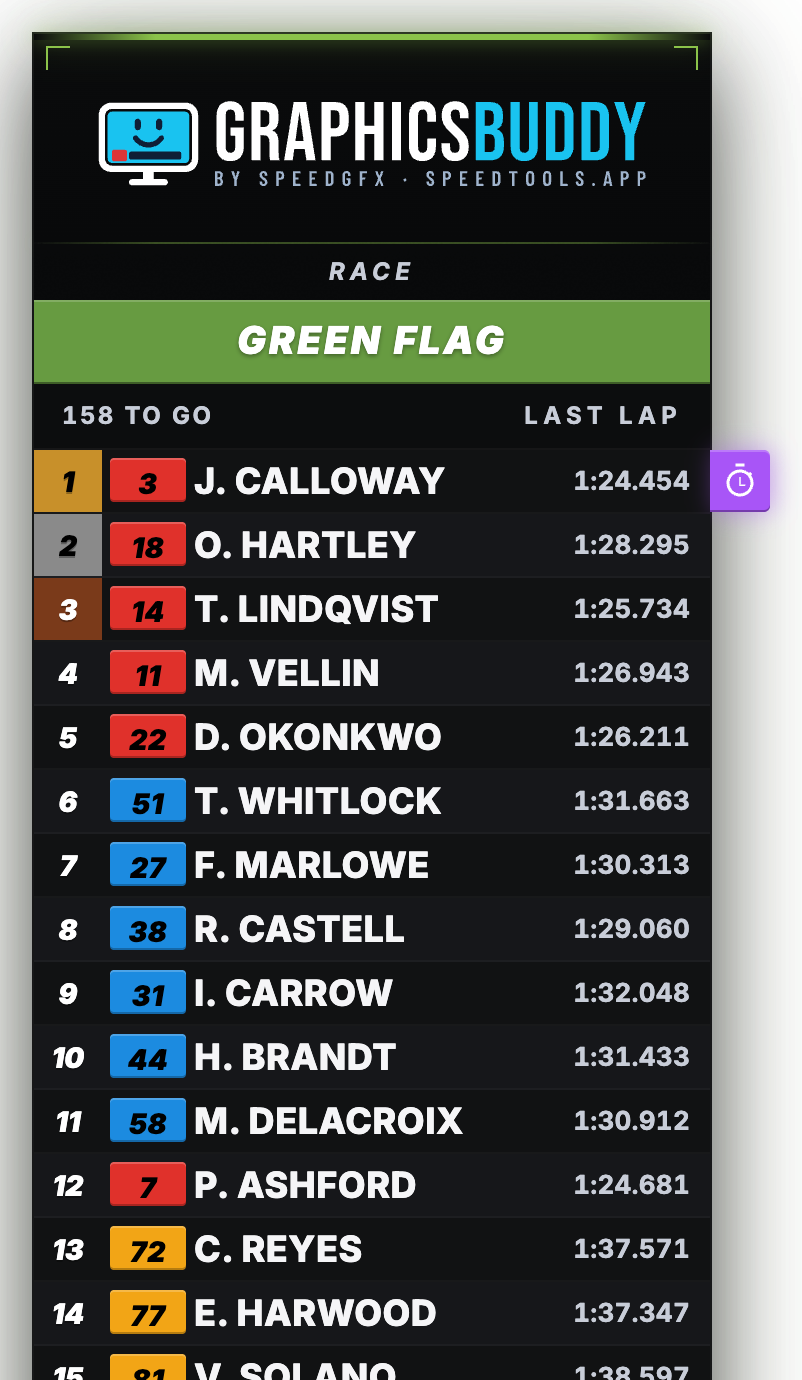
GraphicsBuddy turns the timing feed at the track into live on-air graphics. Timing towers, results, battles, driver cards and GPS track maps update the moment a car crosses the line. One console runs the whole show, and the producer, race control and spotters each get a screen of their own.

in the box 170+ graphics· 4 packages· 8 timing sources· track or cloud
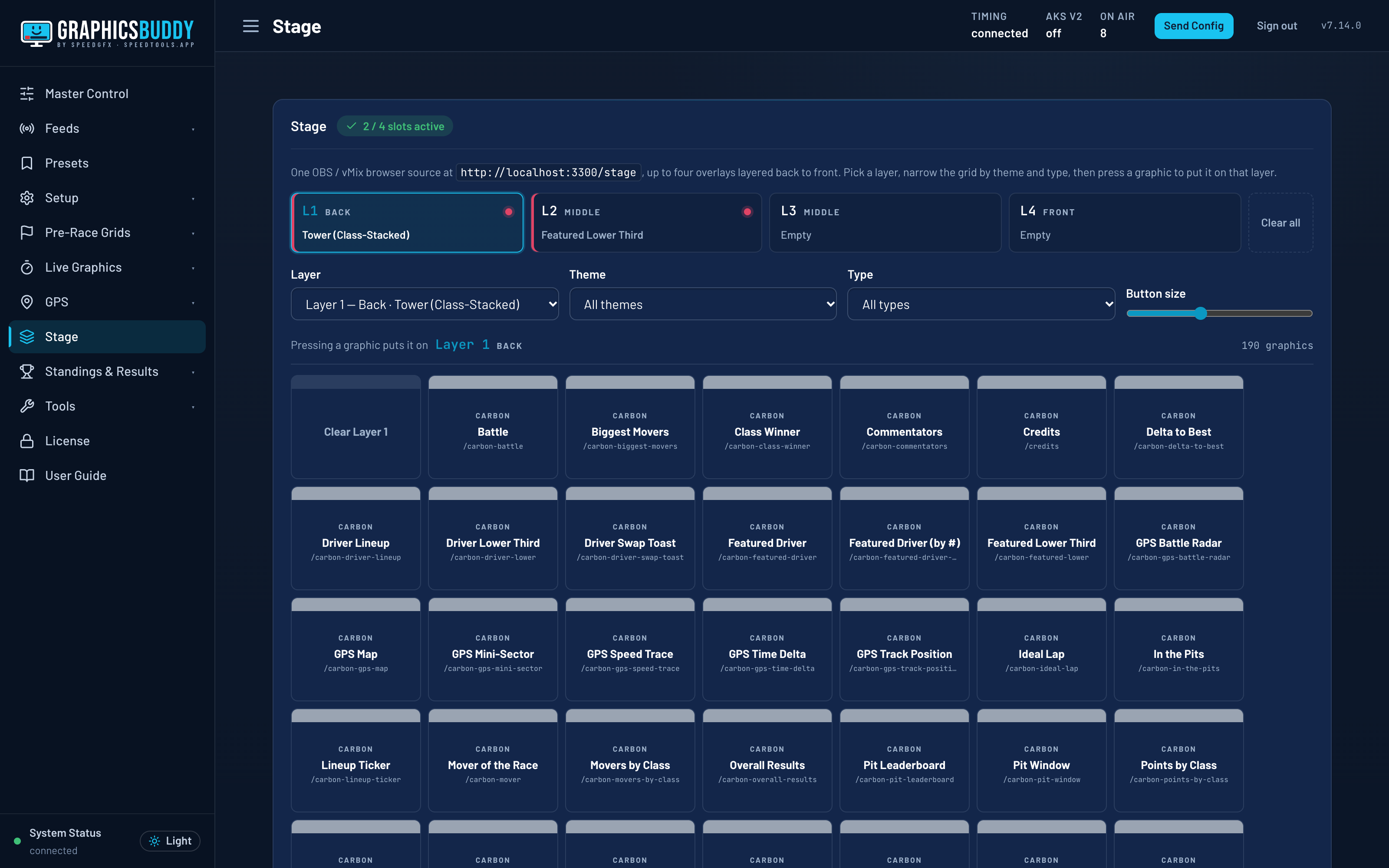
GraphicsBuddy Stage: four graphics layered in a single browser source.
170+ graphics, four packages
Glass · Carbon · StrikeSpeed · Ember
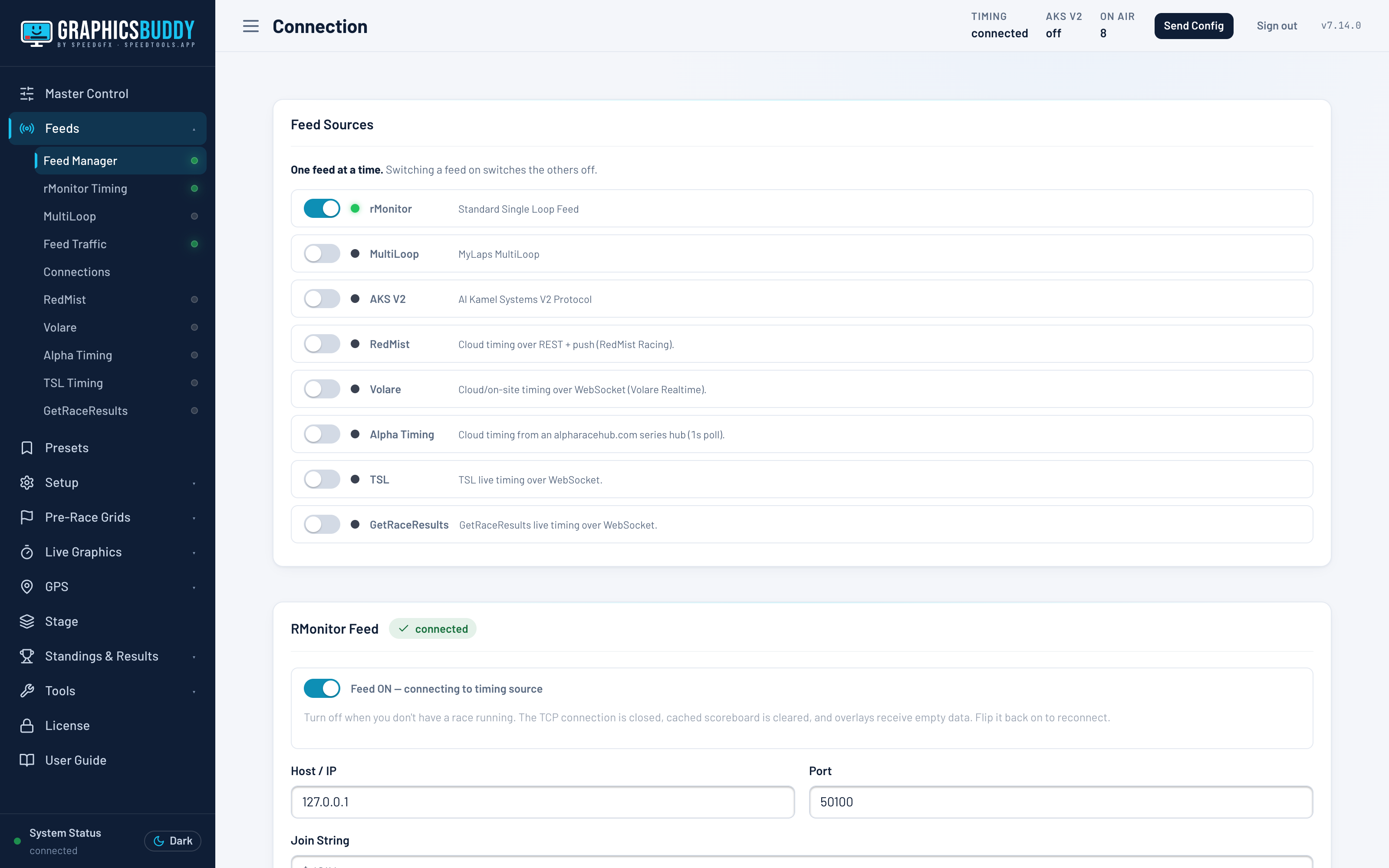
Eight timing sources
rMonitor · MultiLoop · AKS · RedMist · Volare · Alpha Timing · TSL · GetRaceResults
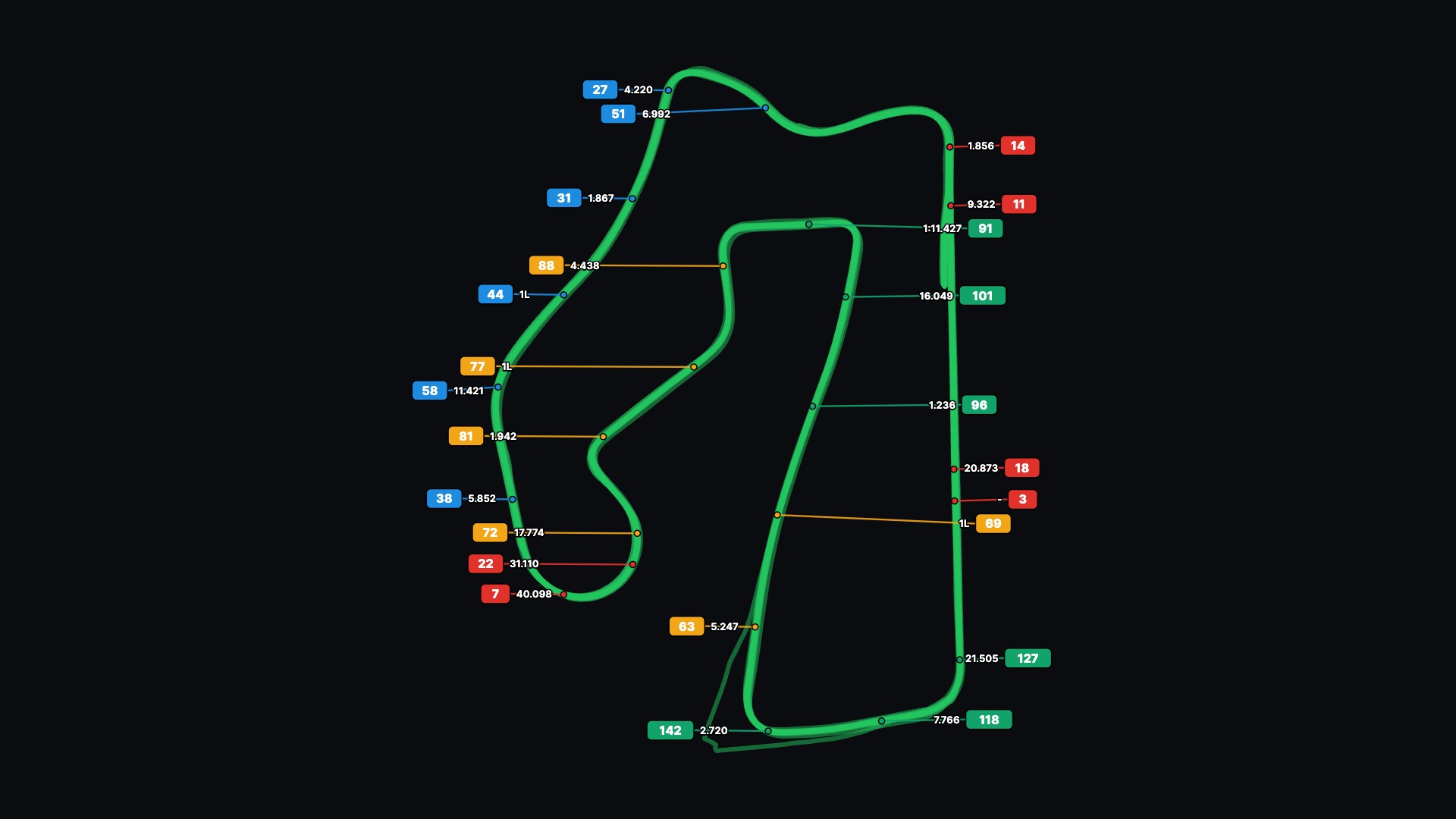
GPS track maps, no setup
The circuit drawn from the cars' own positions
Stage
Up to four graphics layered in one browser source
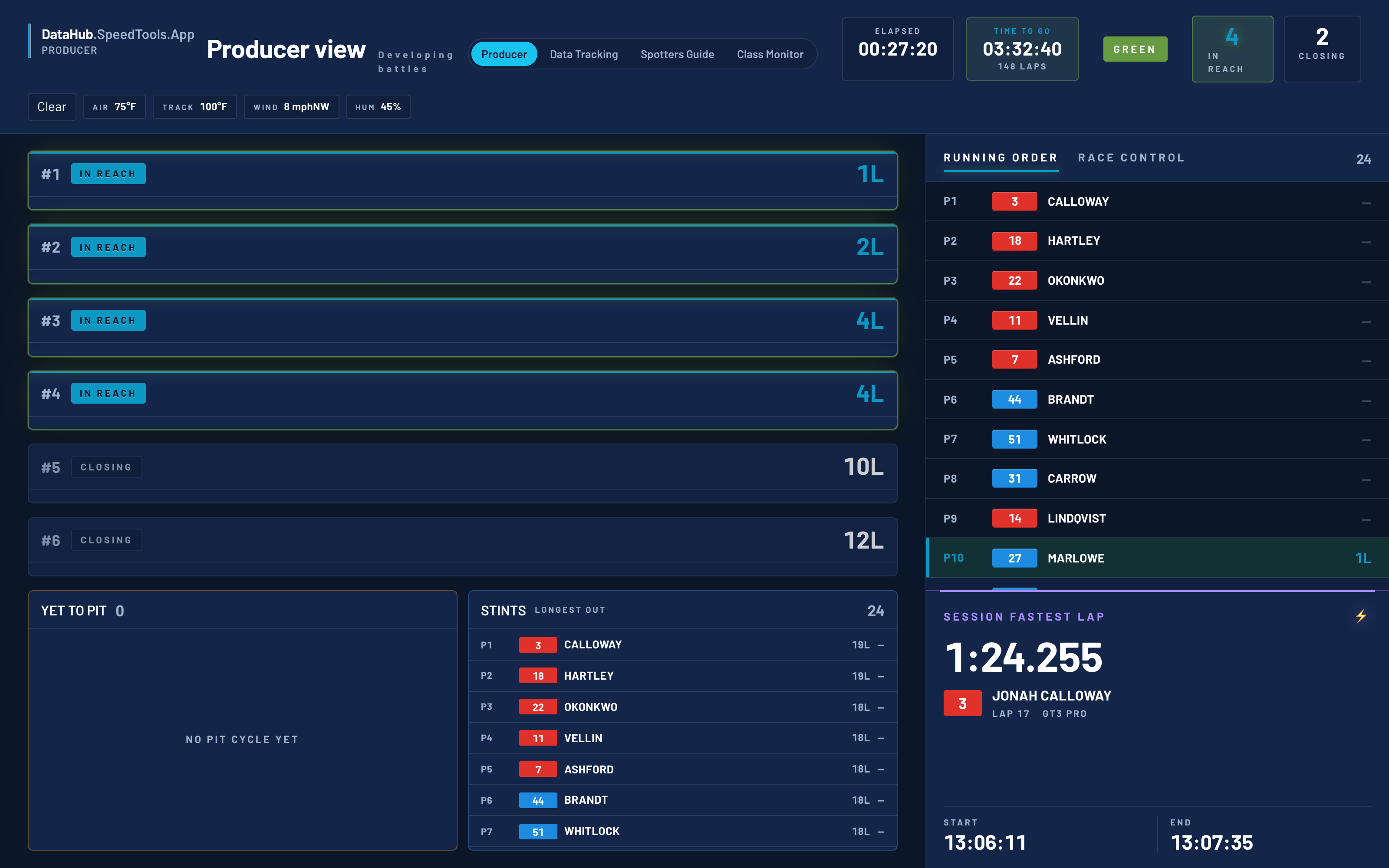
Producer view
Finds developing battles before they reach the screen
At the track or in the cloud
Windows or Mac at the venue, or hosted
Inside GraphicsBuddy

One console, every graphic.

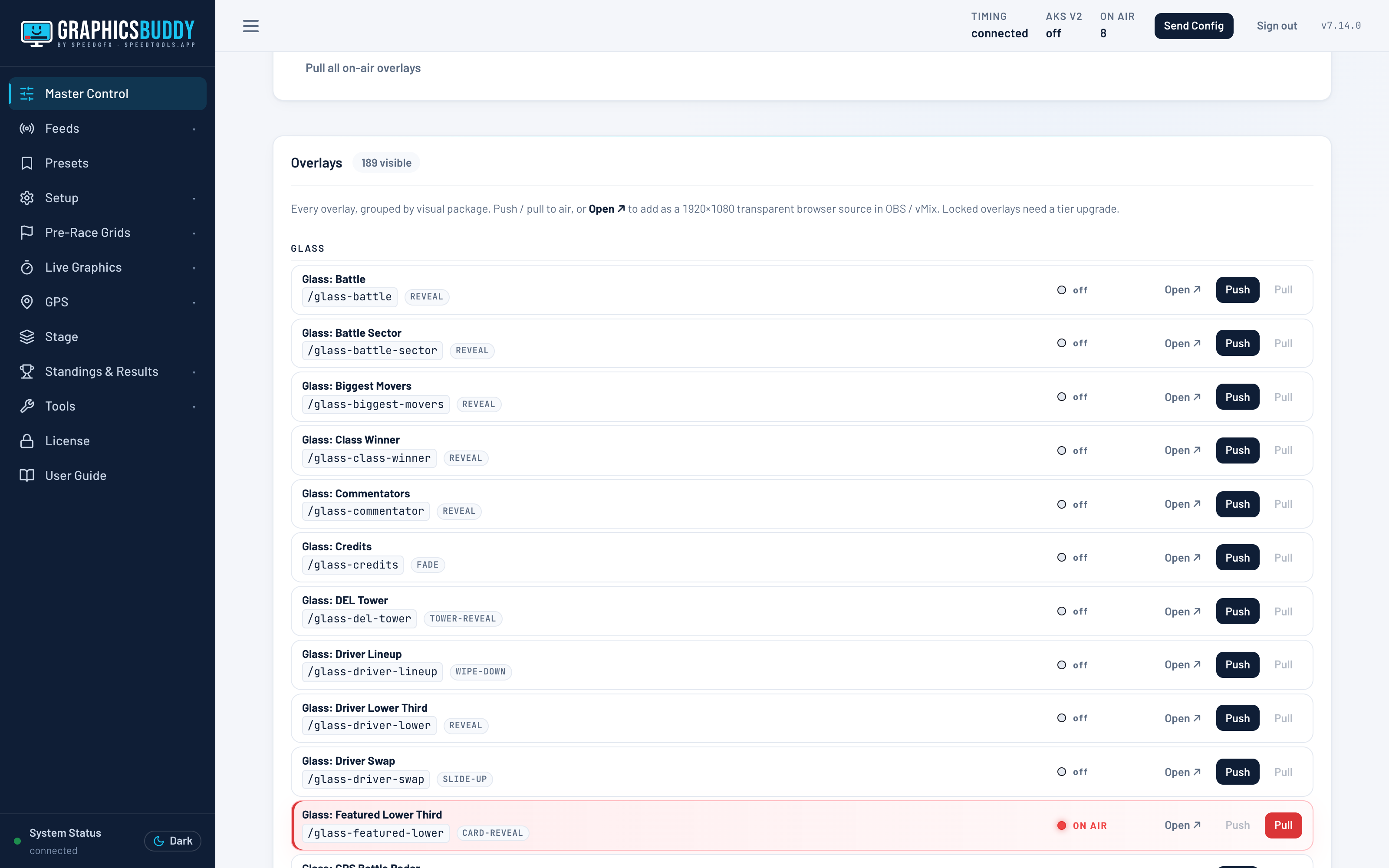
GraphicsBuddy master control console listing every graphic.
Every graphic, one console.
GraphicsBuddy timing feeds page with eight timing sources.
Eight timing sources, one switch.
GraphicsBuddy producer view highlighting developing battles.
Battles found before they happen.
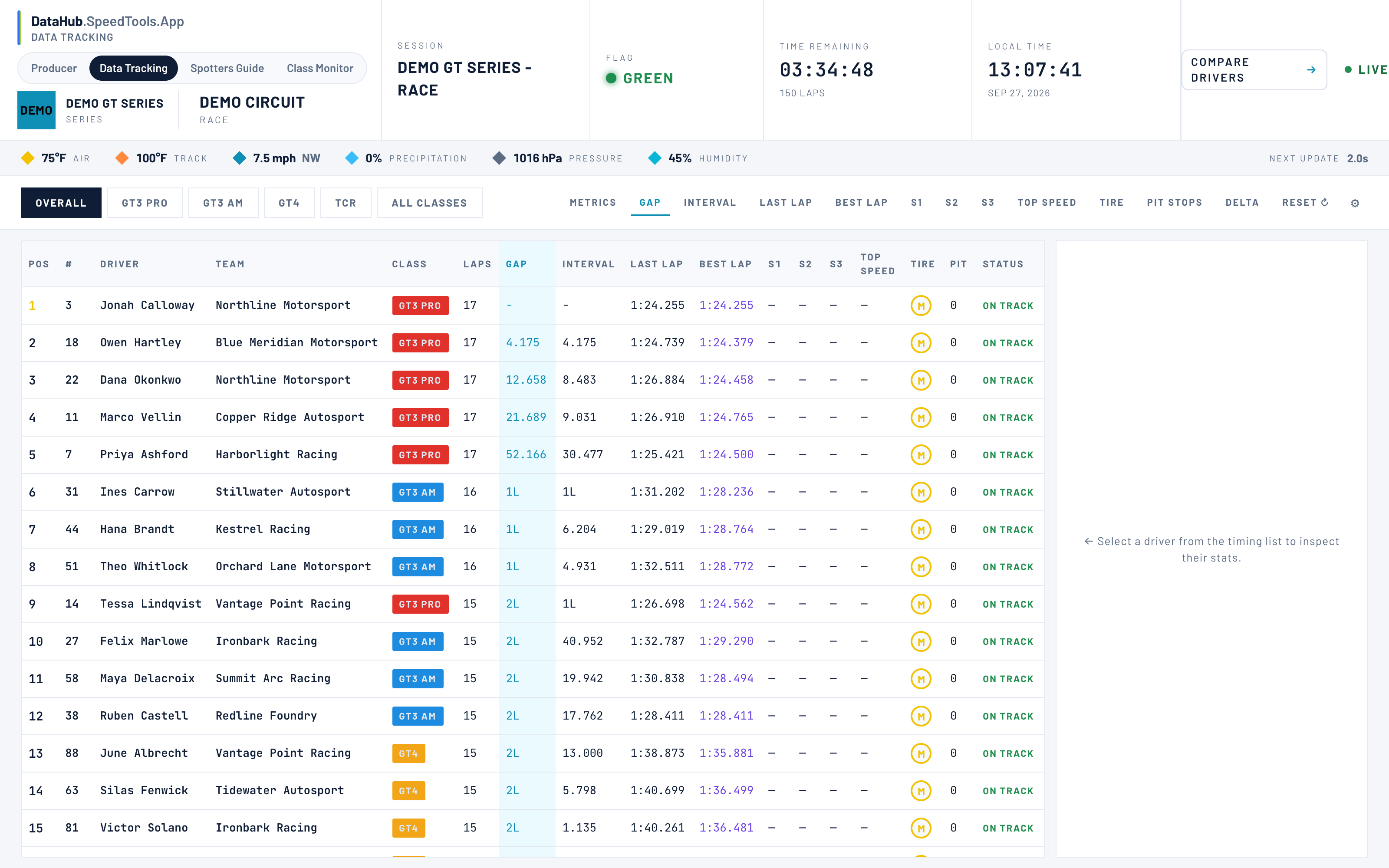
GraphicsBuddy data tracking with the full timing picture.
The full timing picture.
GraphicsBuddy GPS track map with car number flags that never overlap.
GPS track map — number flags that never overlap.
On air

Graphics that update as they cross the line.

Carbon timing tower graphic.
Carbon timing tower
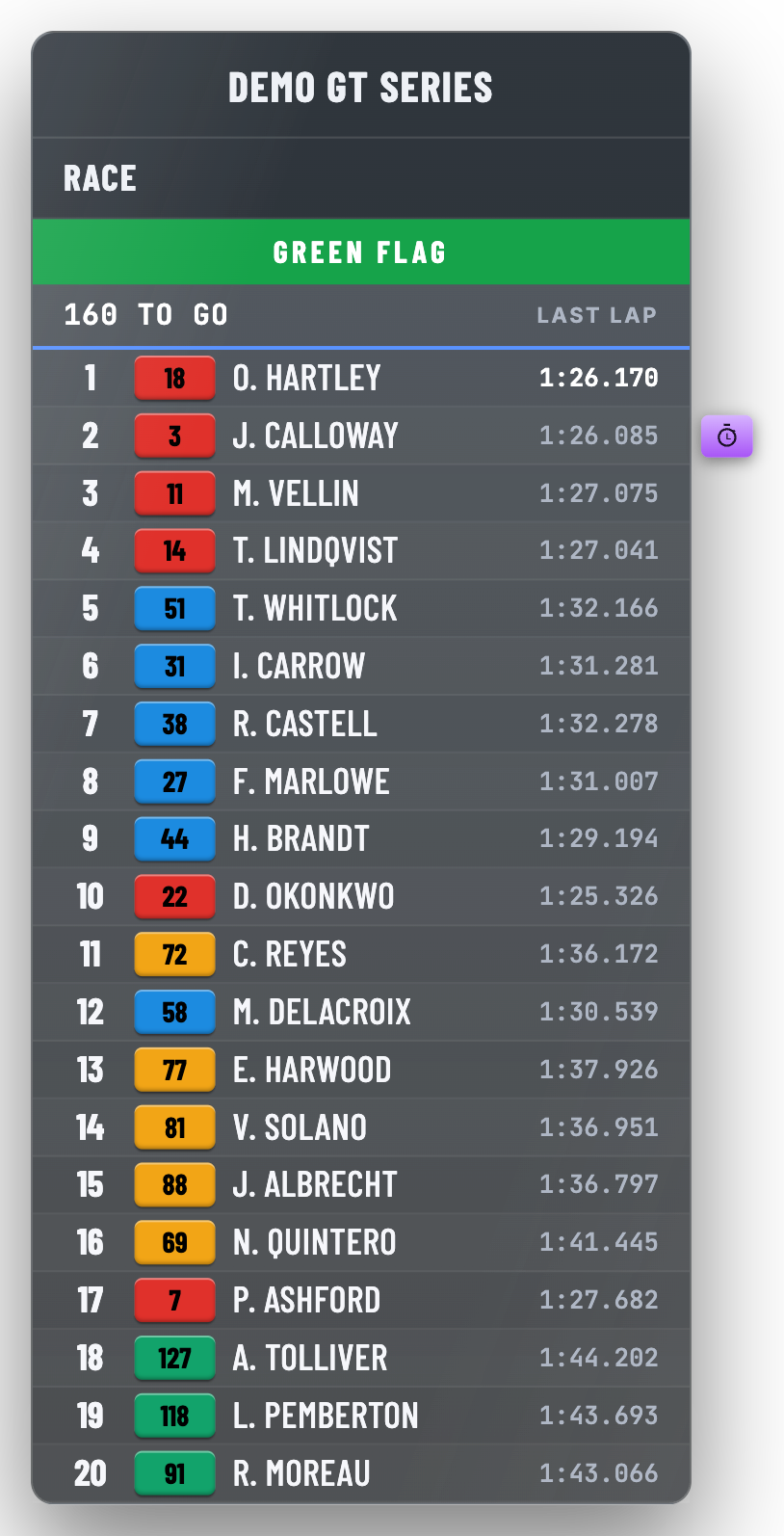
Glass timing tower graphic.
Glass timing tower
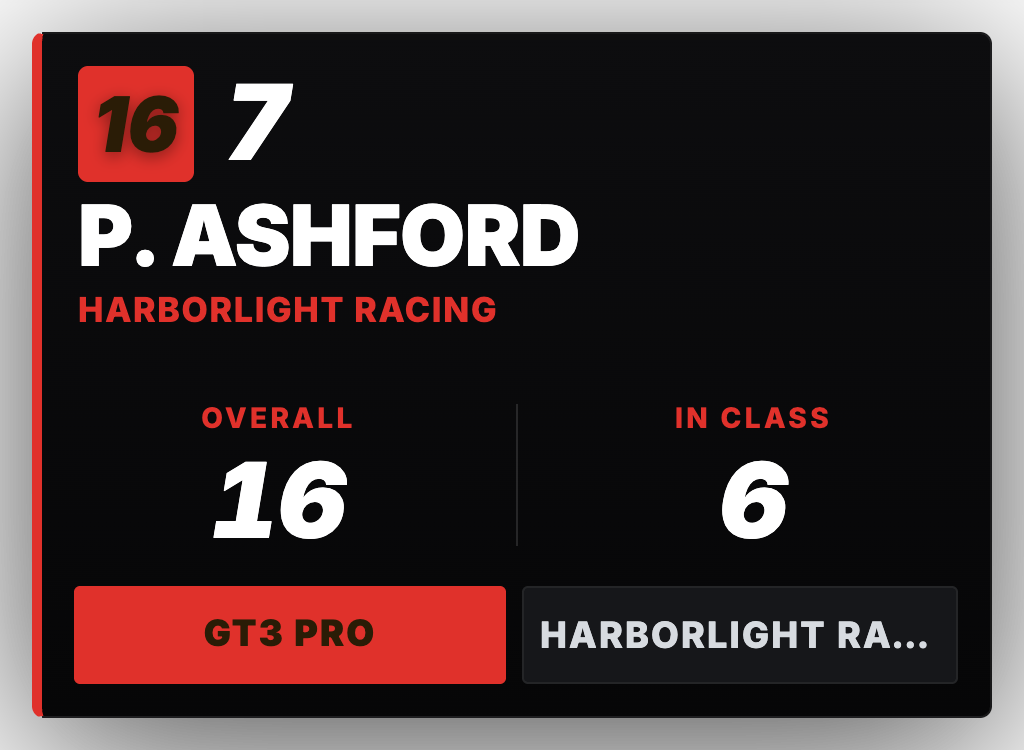
Featured driver card graphic.
Featured driver card
Live position battle graphic.
Live position battle
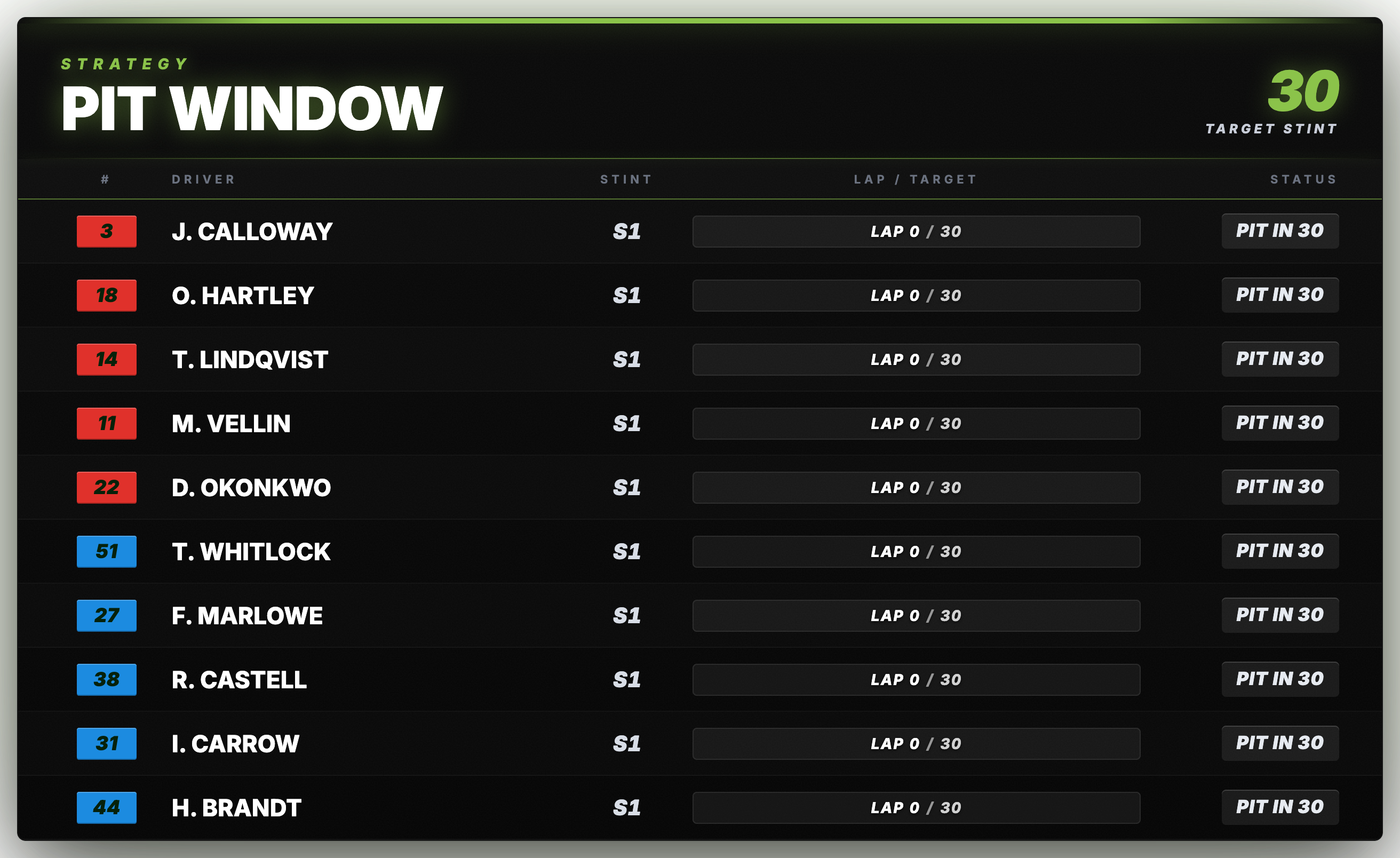
Pit window strategy board graphic.
Pit window strategy board

All drivers, teams and series shown are fictional.

Software Spotlight · Radio & replay
SpotterNetSpotterNet

SpotterNet. Every radio call, on air.

Radio capture, live transcription and replay. Every spotter, crew and race-control channel recorded, transcribed, and cued to the broadcast.

Capture · transcribe · replay

Every radio call,
recorded and ready to air.

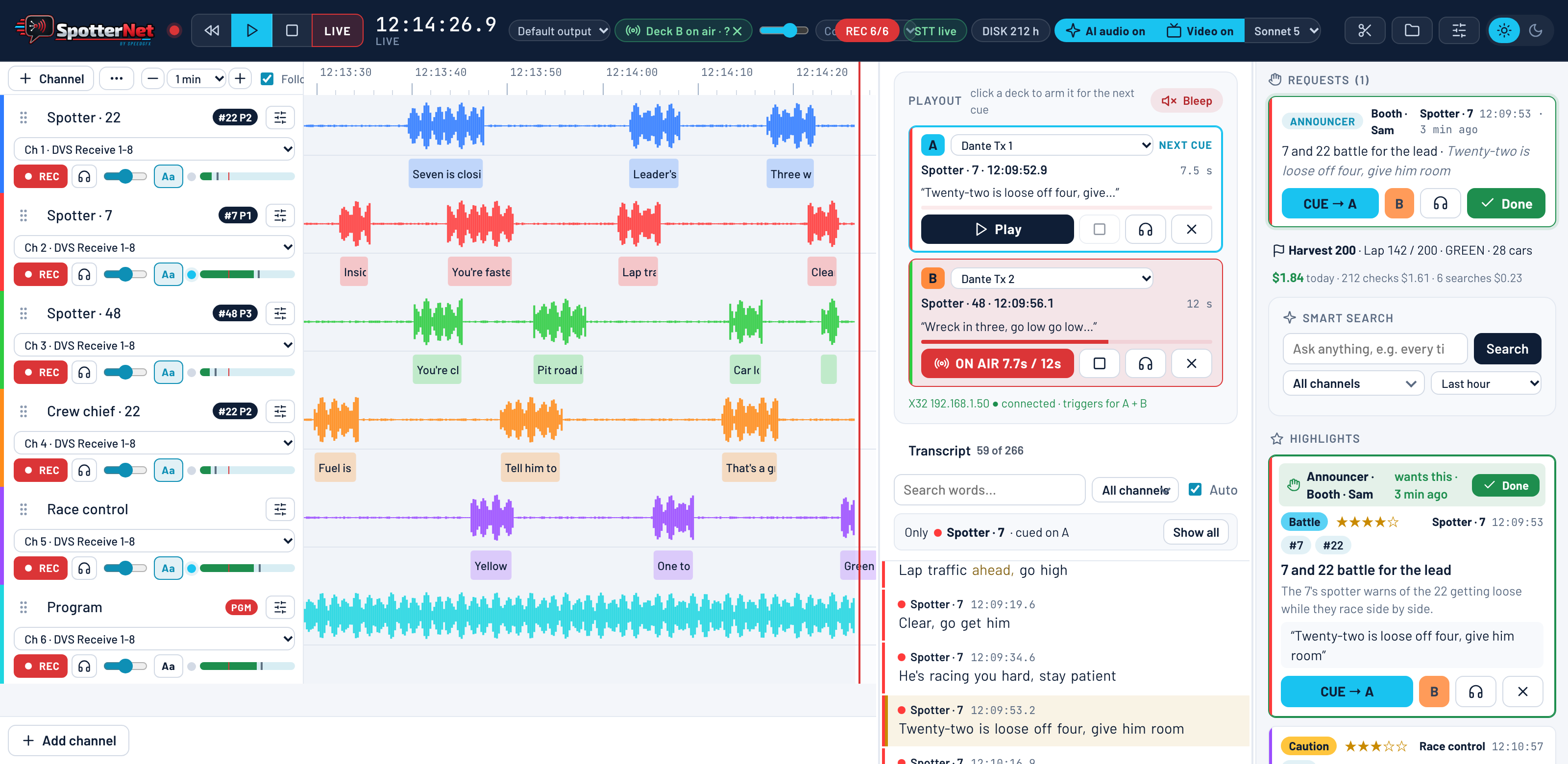
SpotterNet records every spotter, crew and race-control channel and turns the chatter into live text. An AI listener flags the moments worth airing and names the cars involved. Replays are cued and played to the broadcast in two clicks.

on every channel live transcript· AI highlights· two playout decks· Dante out
SpotterNet operator console: six radio channels with live waveforms and transcribed words, two playout decks, the live transcript, clip requests and AI highlights.
Live transcription
Every channel, transcribed on site · driver names from timing
AI highlights, scored
Incidents, battles & quotes flagged 1–5 · cars named
Two decks to air
Play out over Dante · auto-bleep · X32 & Stream Deck triggers
Booth requests a clip
Producer & announcer views · tap to request, operator plays
Inside SpotterNet

From the radios to the booth.

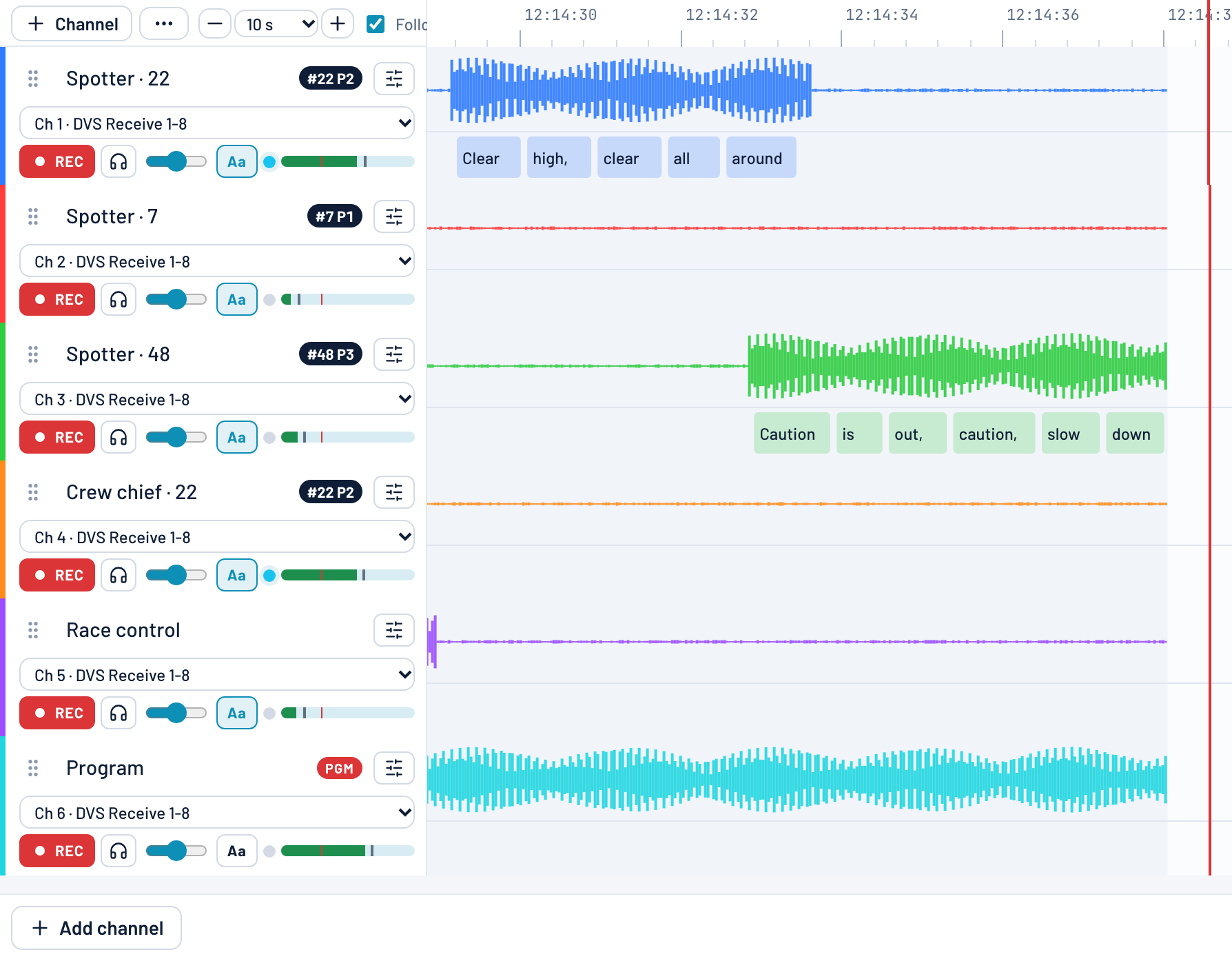
SpotterNet timeline with six radio channels, colour-coded waveforms and each spoken word shown under its audio.
Live transcription — every word under its waveform.
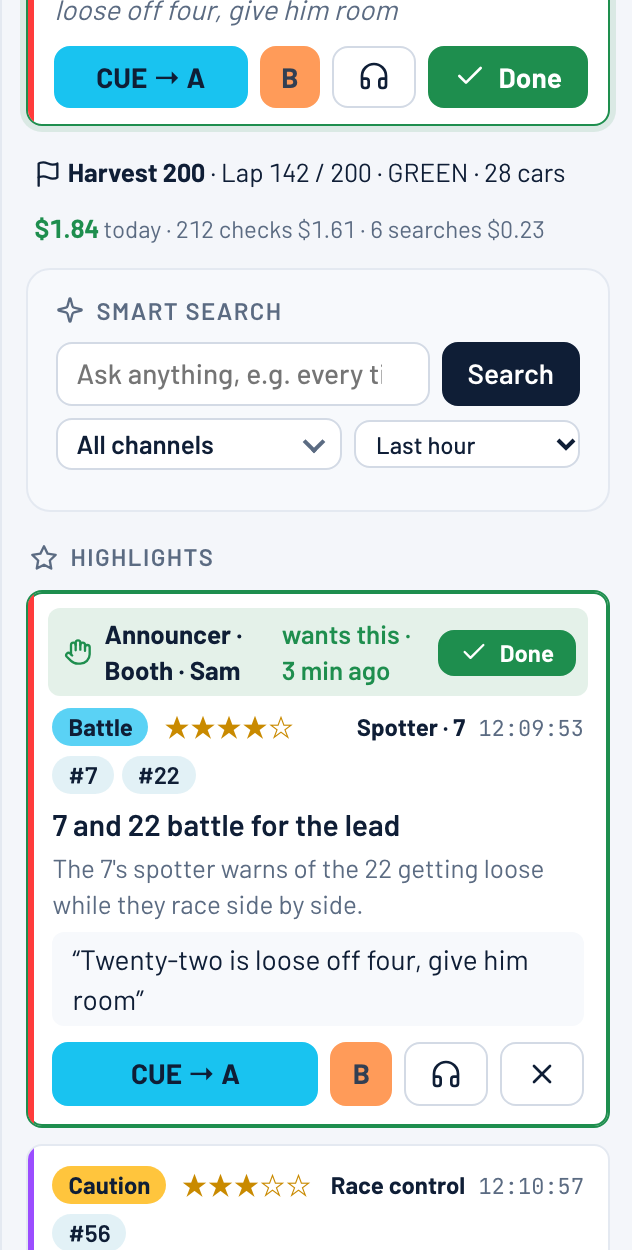
A SpotterNet highlight card for a multi-car wreck in turn 3, scored five stars, tagged with cars 48, 14 and 91 and marked on air now.
AI highlights — scored, tagged with the cars involved.
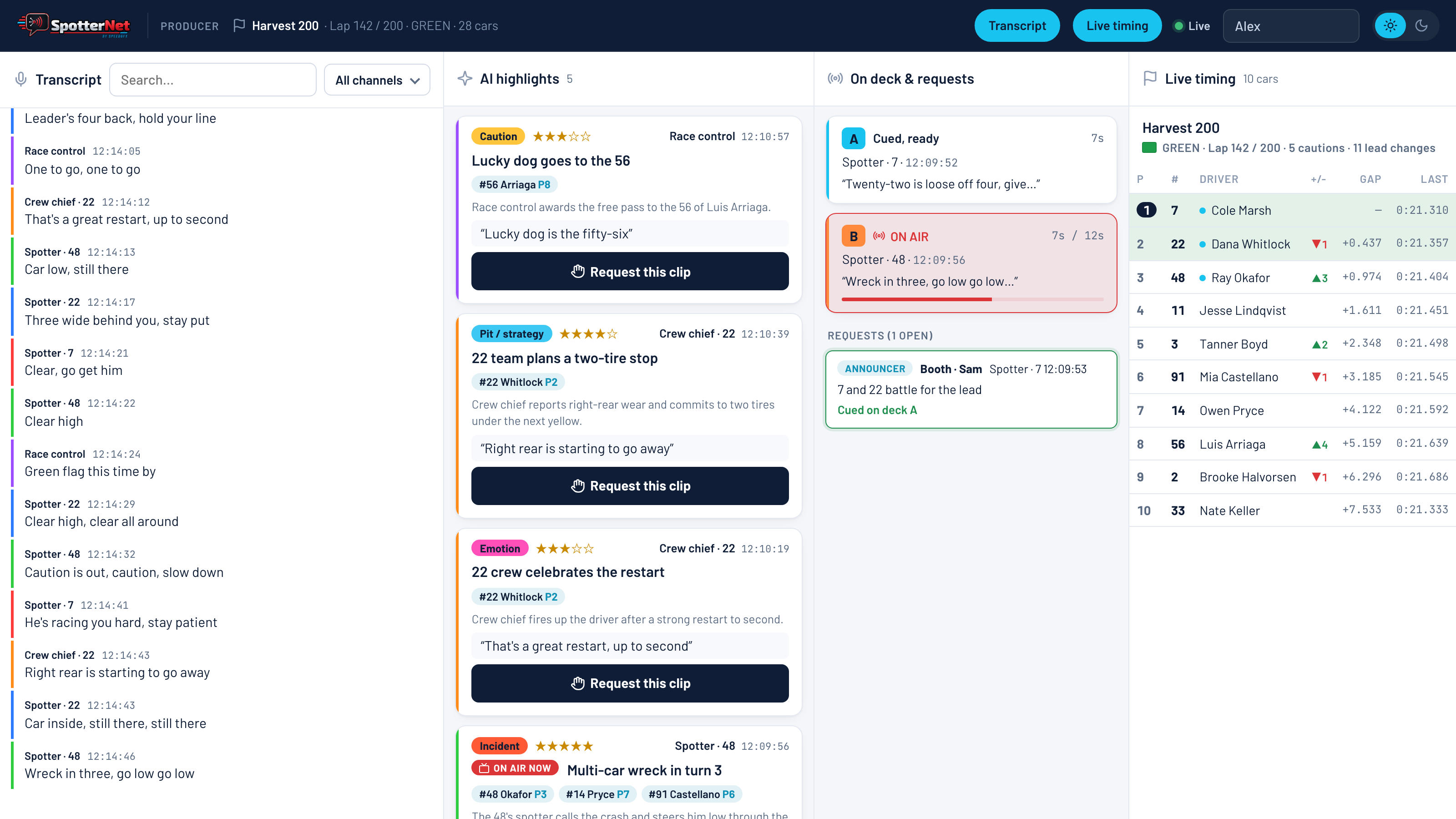
SpotterNet producer view with the live transcript, AI highlights, what is on each deck, open clip requests and the live running order.
Producer view — transcript, highlights, decks, clip requests and running order.
Software Spotlight · Production ops
ProdStaff.comProdStaff.com

ProdStaff Live. Run the whole season.

Production operations, in motion. One link runs the broadcast season — schedule, crew, staffing, equipment, and public hiring.

Schedule · staffing · crewing

One link.
The whole season.

Every race weekend with dates, venue, crew count, and a public link. Confirmed crew, pending invites, and open positions sit on one staffing overview. A public crewing board fills the roster — applicants pick events and roles, no account needed. Approve one and the applicant gets an account, a welcome email, and a spot on the roster.

See ProdStaff Live
Events
Calendar
Run of Show
Crew
Equipment
Venue Map
Show Pack
Streaming
Production lifecycle

Built for the full show day.

Every stage of a live broadcast has its own tools — designed around how producers and crews actually work on race weekend.

01 Plan

Before show day

Lay out the weekend, build the rundown, reuse what you've done before.

  • Multi-day event setup
  • Run of Show builder
  • Standard show-piece library
  • Event & ROS templates
02 Staff

Lock the crew

Role-based crew rosters, invites with accept/decline, and printable call sheets.

  • Per-event crew roster
  • Email invites & reinvites
  • Self check-in for crew
  • Individual call sheets
03 Run

Day-of execution

Live show clock, gear tracking, and field-ready tools for everyone on site.

  • Live ROS clock & drift tracking
  • QR-coded equipment check-out
  • Venue map + camera positions
  • Issue reporting with photos
04 Wrap

Share & archive

Distribute, export, and hand off — with public pages and a full show pack.

  • Full Show Pack PDF
  • CSV exports & .ics calendar
  • Public event & ROS pages
  • Equipment audit log
Streaming integrations
Castr GPX Stream Restream Mobile PWA
Inside ProdStaff Live

The season on one screen.

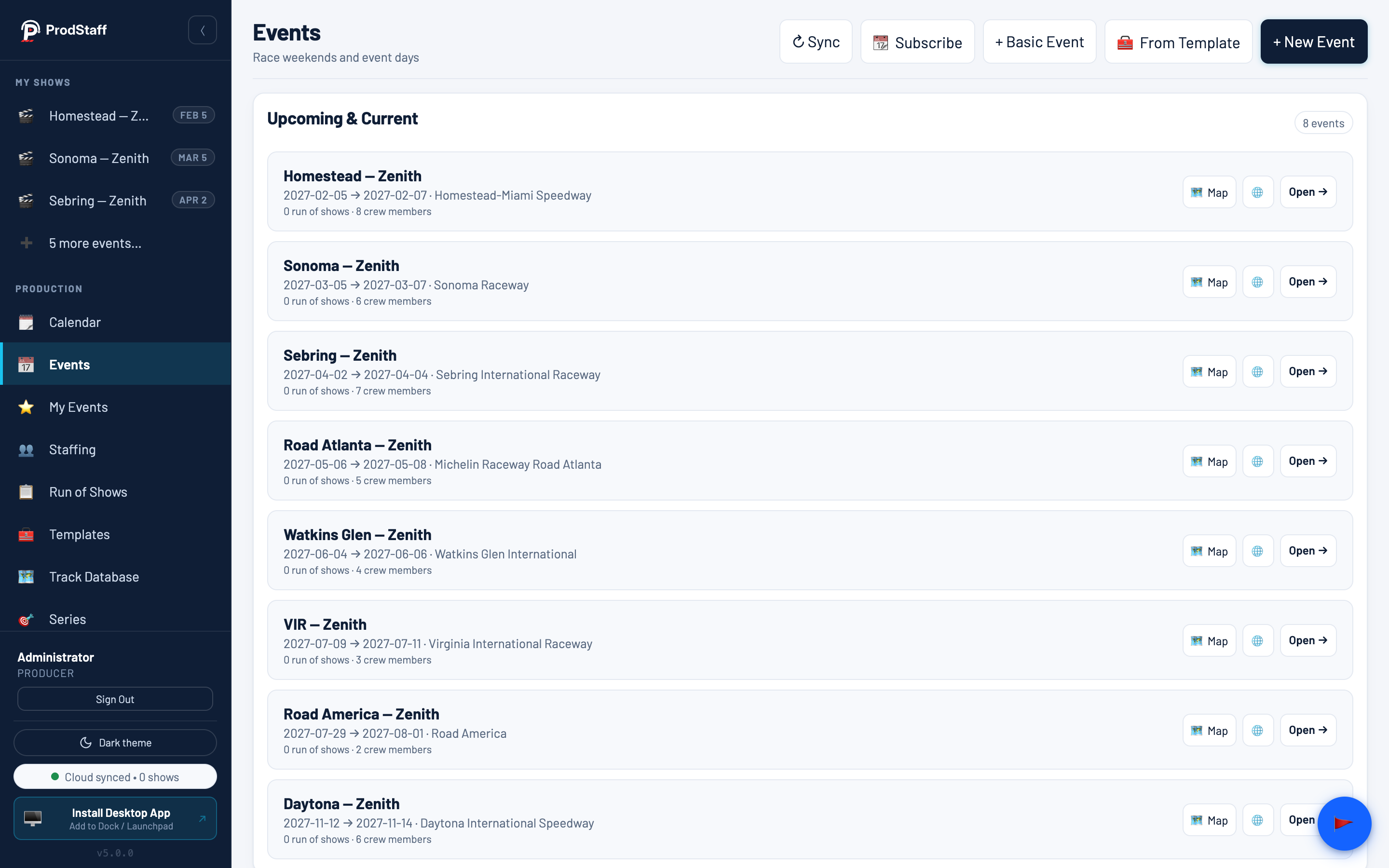
ProdStaff Live season schedule: a list of race weekends with dates, venue, crew count, and a public link.
Season schedule — every weekend with dates, venue, crew count and a public link.
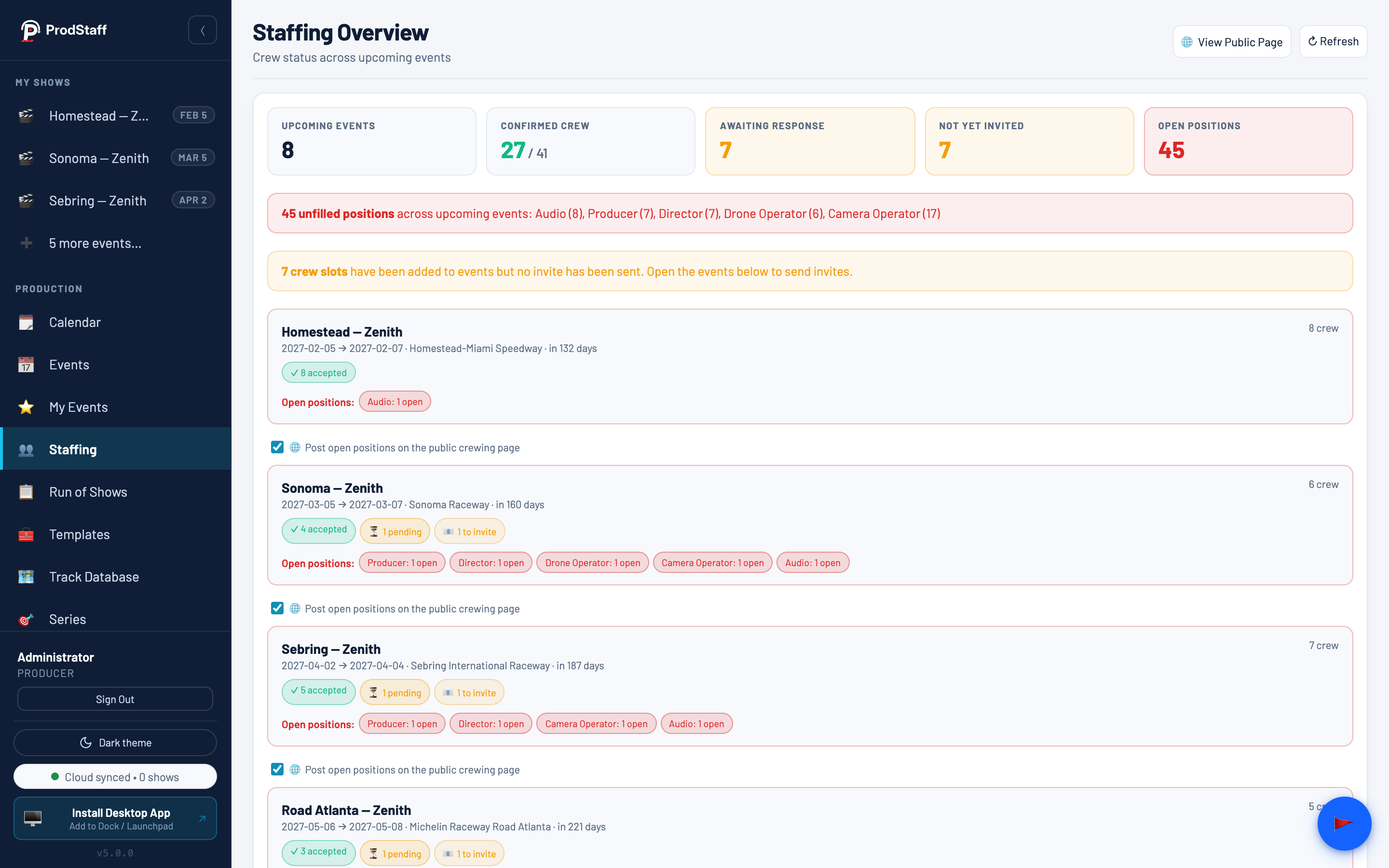
ProdStaff Live staffing overview with confirmed, pending and open counts across upcoming events.
Staffing — confirmed, pending and open positions at a glance.
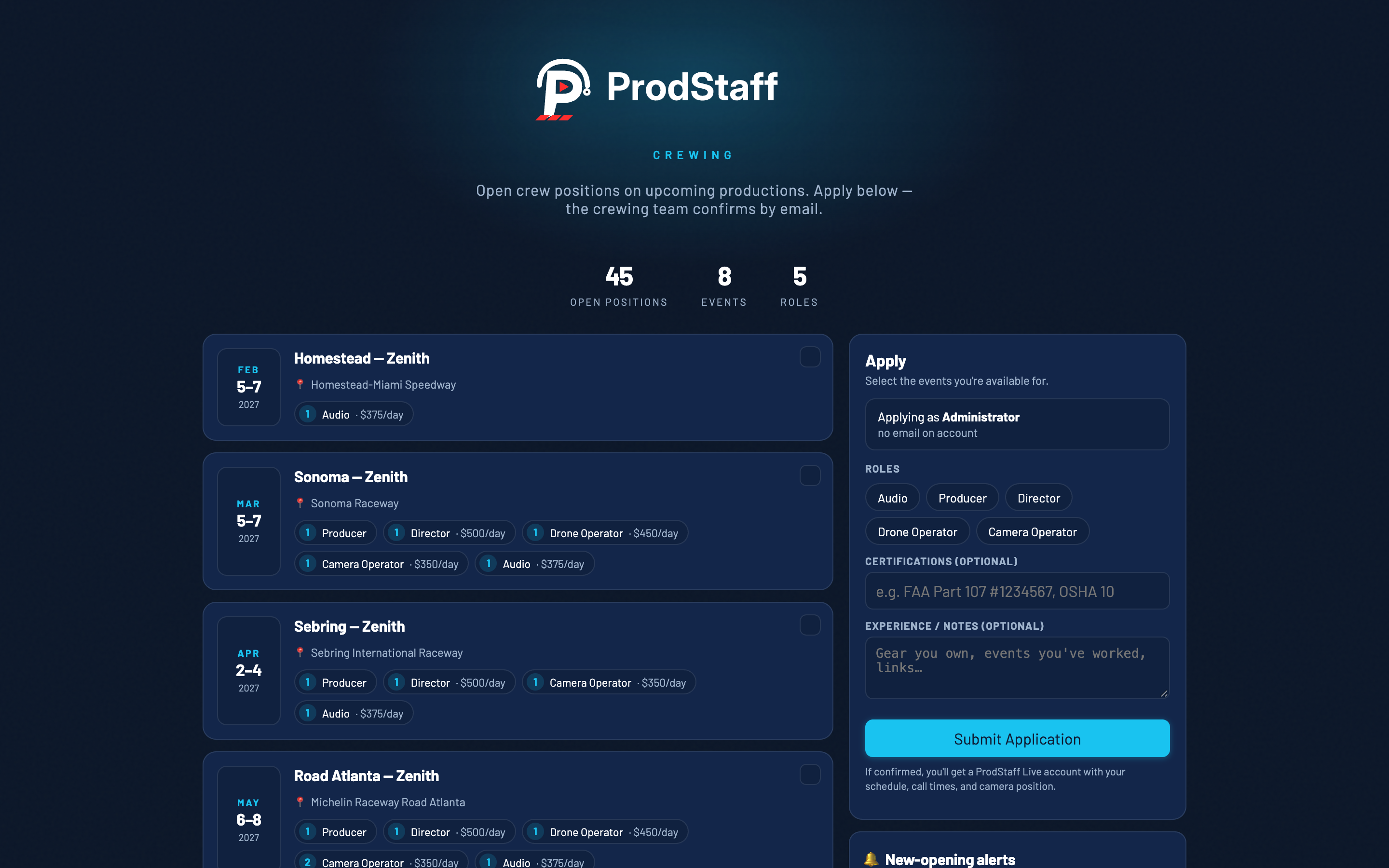
Public crewing job board where applicants select events and roles with no account required.
Public crewing board — applicants pick events and roles, no account.
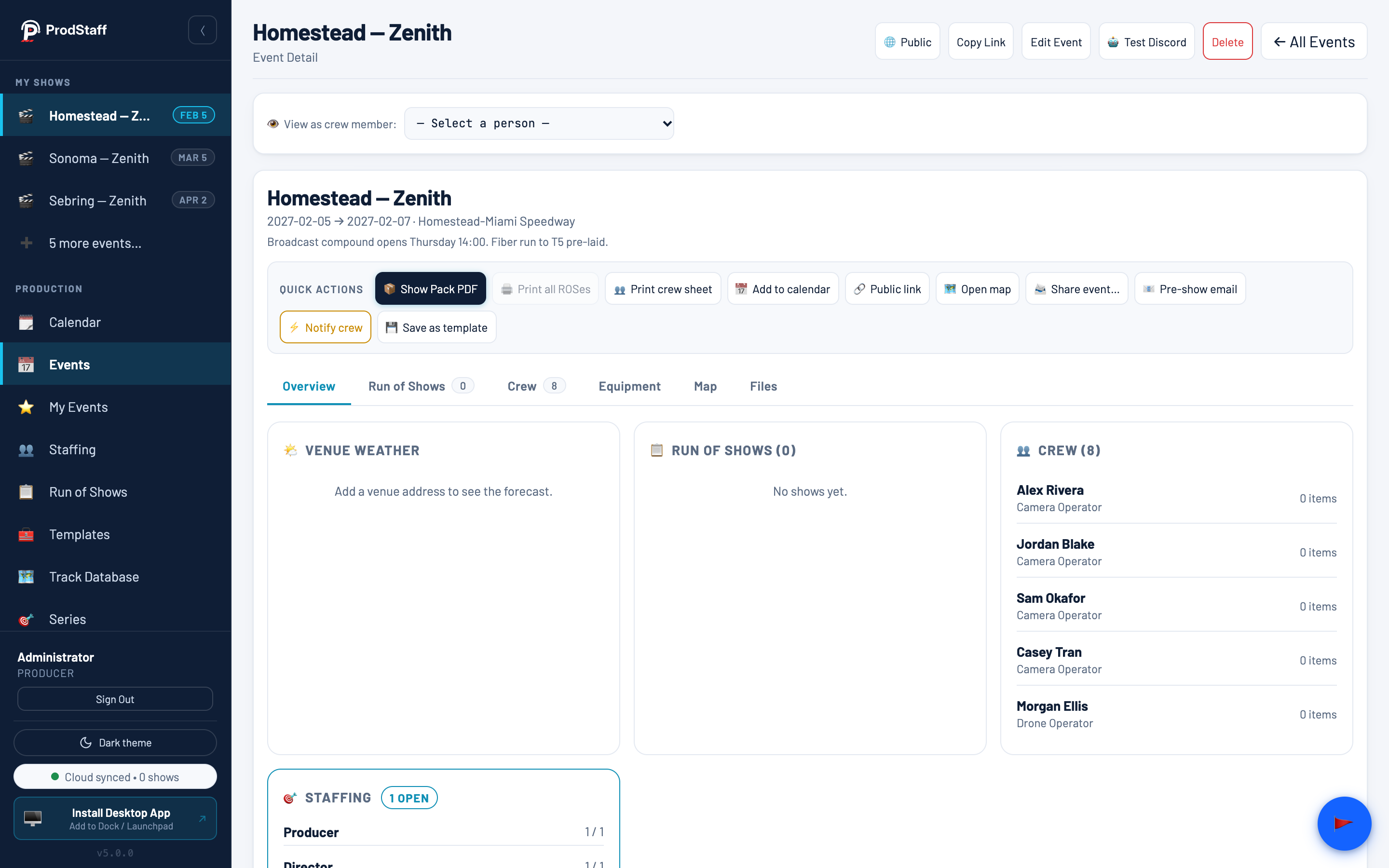
ProdStaff Live event detail with quick actions for the show pack, crew sheet and calendar, plus the staffing panel.
Event day — show pack, crew sheet, calendar and crew notifications, one click away.
Software Spotlight · Cloud production
SpeedProd.App — remote production for motorsportSpeedProd.App — remote production for motorsport

SpeedProd.App. Run your vMix show from anywhere.

Cloud vMix production, ready when the show is. Quick, reliable, and proven on real event weekends.

Cloud vMix · SRT · remote

Spin up a vMix box
in minutes.

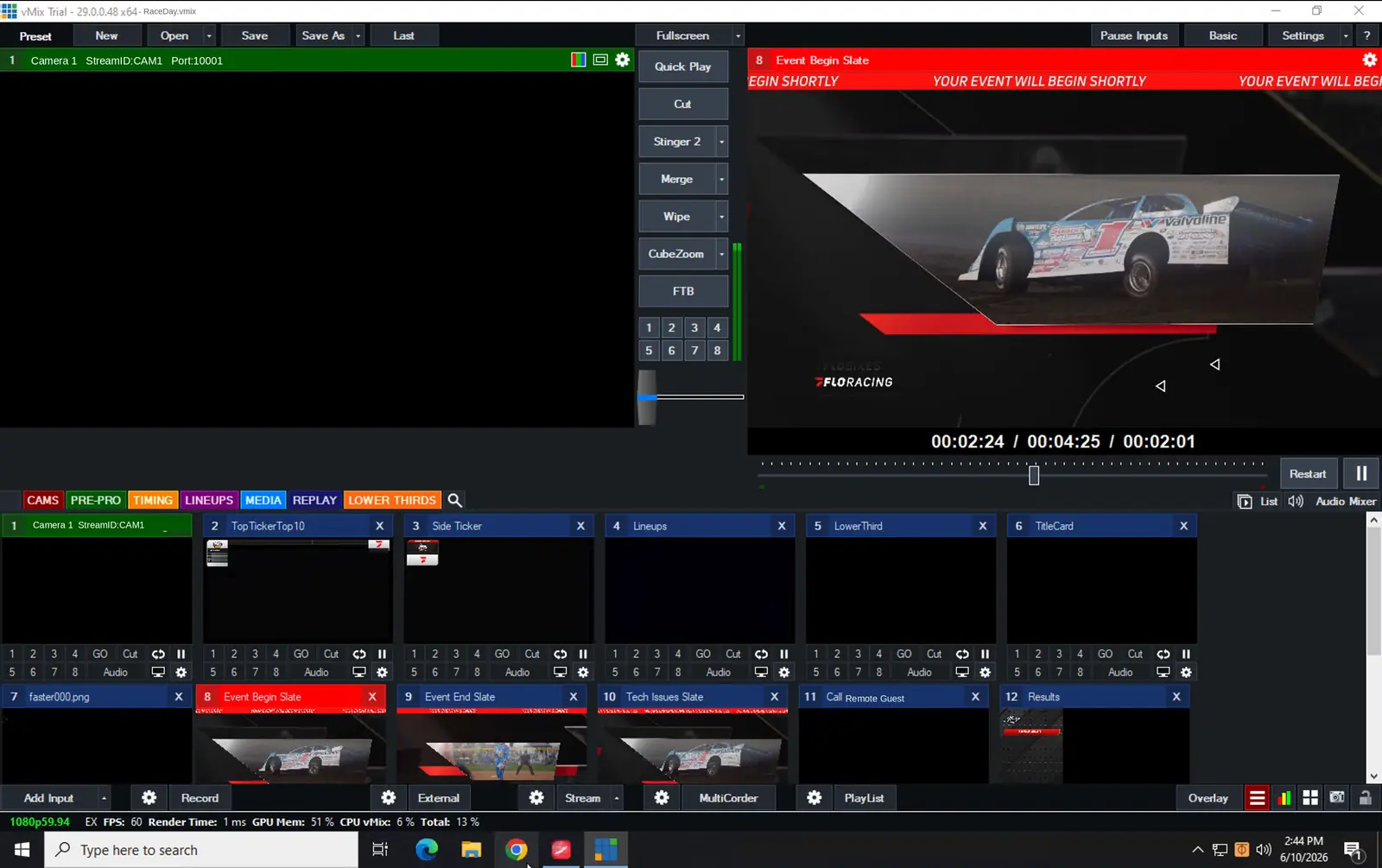
Start a cloud-hosted vMix production box in minutes, pull in cameras and feeds from anywhere over SRT, drop in live graphics and timing data, and mix the whole show remotely — from the truck, a hotel, or home.

no on-site rig cloud vMix· SRT inputs· live graphics· multi-region
vMix running on a SpeedProd.App cloud box with SpeedGFX browser-source overlays on the program output.
Quick, easy, reliable
Full vMix boxes in minutes · load a show preset and go live
Bring in any source
Cameras, encoders & LiveU over SRT · 2 inputs standard, up to 15
Mix from anywhere
Full broadcast control from the truck, a hotel or home
Live graphics, no install
SpeedGFX overlays load as browser sources on the box
Data straight to air
RMonitor, MultiLoop, AKS & MyRacePass timing relayed to graphics
Multi-unit & event-proven
Several boxes across regions, coordinated for larger shows
The Control Room

The whole fleet, on one page.

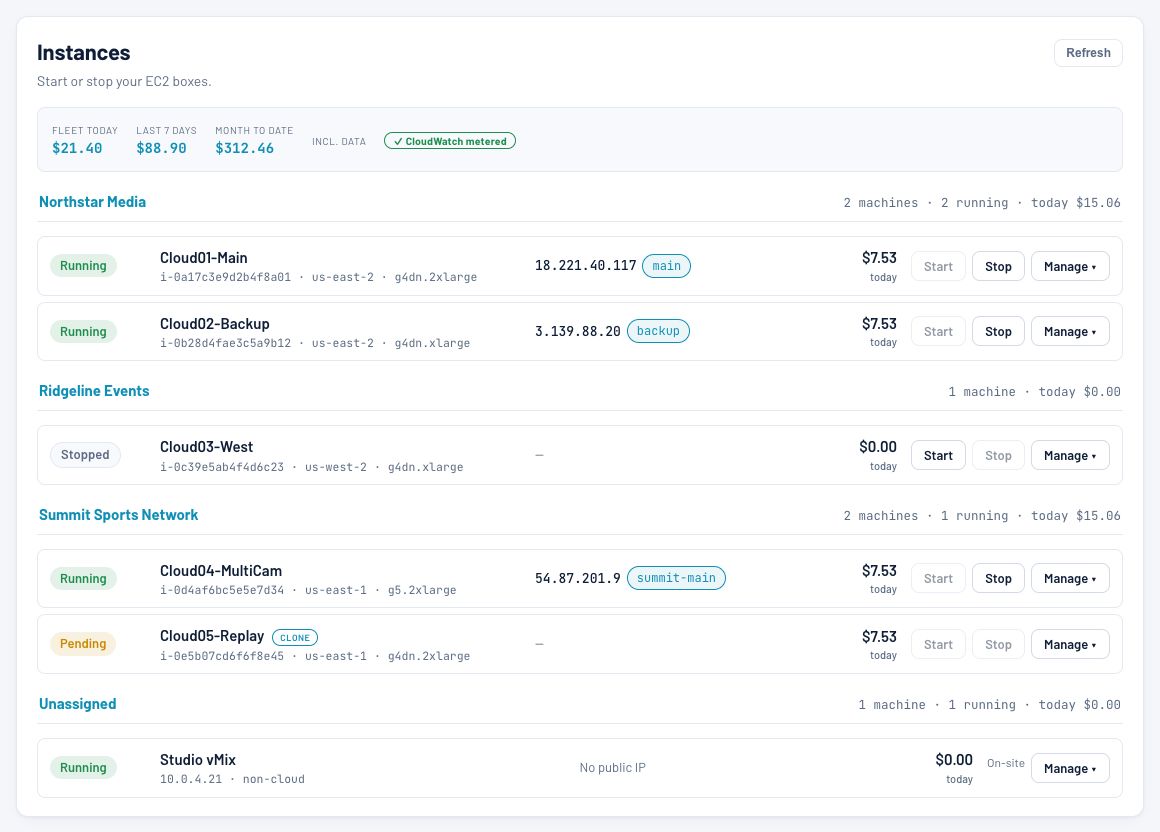
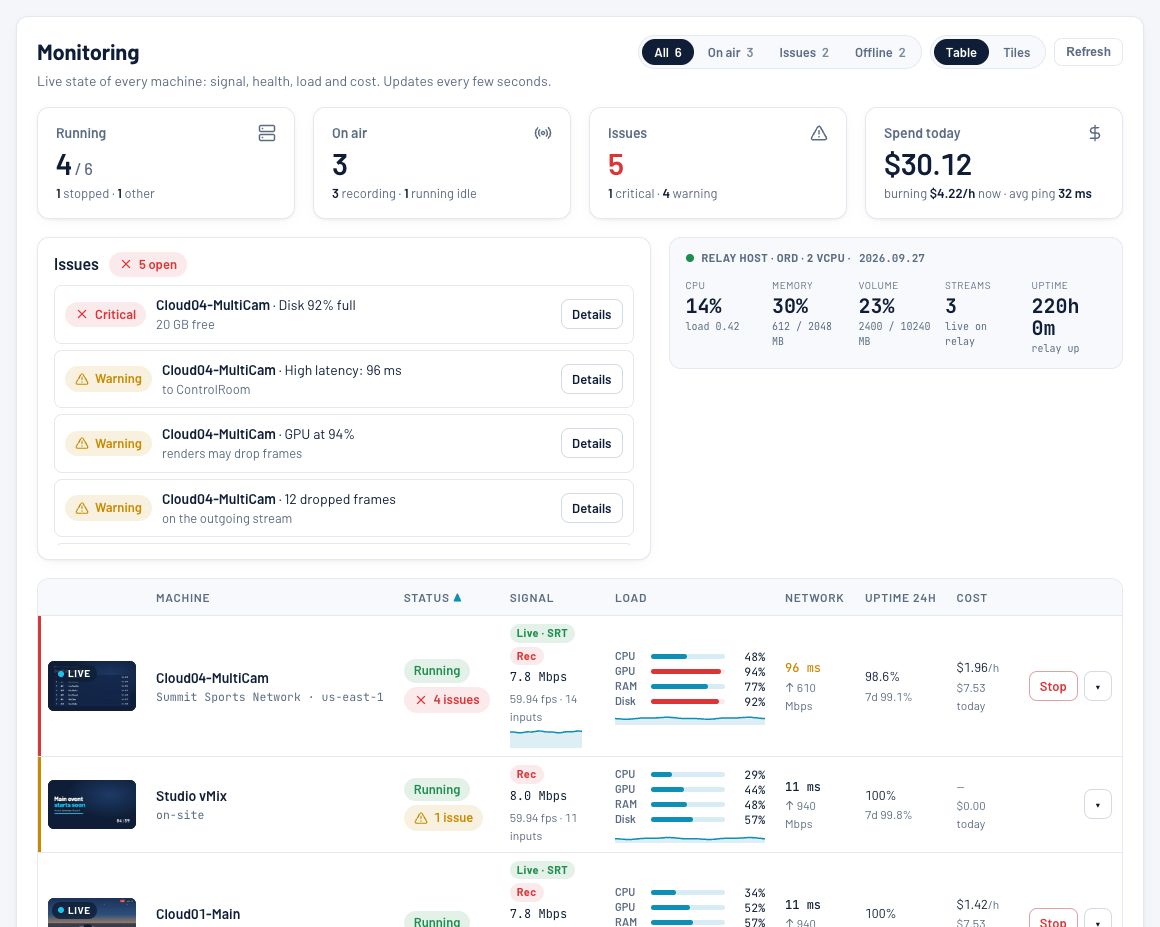
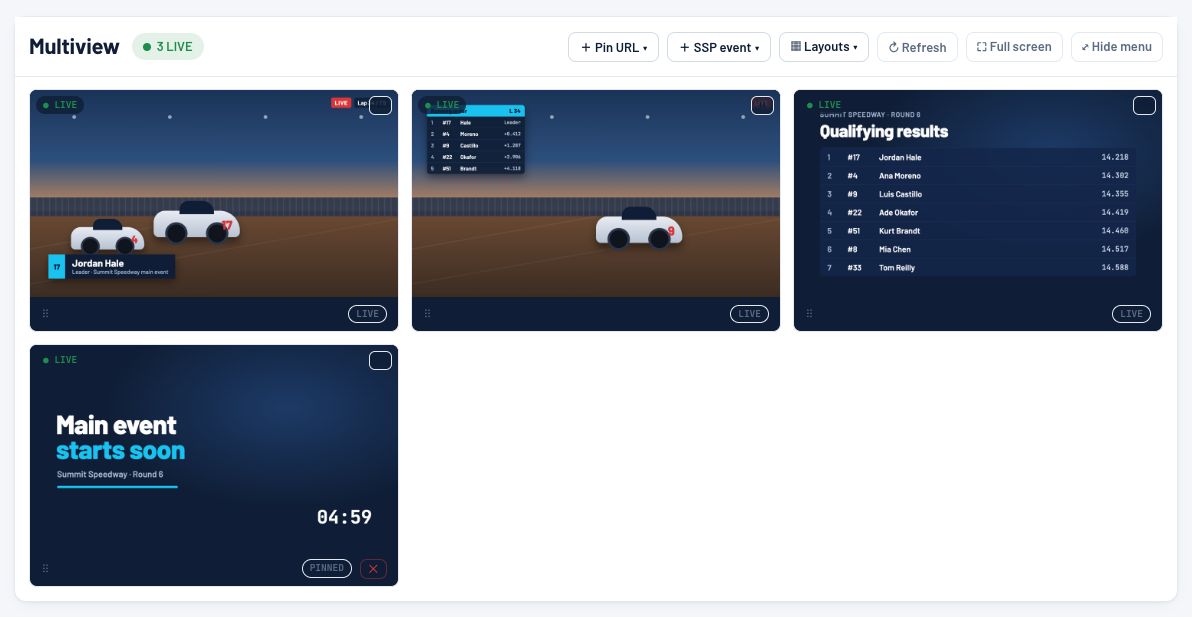
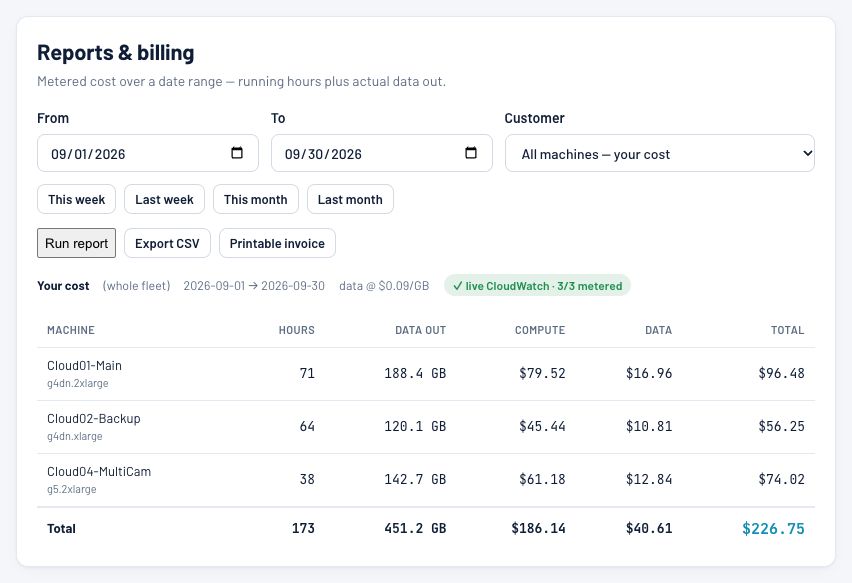
Start and stop boxes across regions, watch every program feed, manage SRT/RTMP/HLS endpoints and DNS, and see what each box costs in real time.

Control Room Instances: every cloud box grouped by client, with state, address, start and stop, and today's metered cost.
Instances — every box by client, with start/stop and today's cost.
Control Room Monitoring: running, on-air and issue counts, open issues, and per-machine signal, load, network and cost with live previews.
Monitoring — signal, load, issues and spend for every machine.
Control Room Multiview: a wall of live program feeds and a pinned holding slate.
Multiview — a video wall of every active stream.
Control Room Reports and billing: metered hours, data out, compute and data cost per machine for a date range, with CSV export and invoice.
Reports & billing — metered cost by date range, CSV or invoice.
Software Spotlight · Intercom
BCCommsBCComms

BCComms. The whole crew, any device.

Broadcast intercom and IFB on iPhone, iPad, Android, Mac, Windows and the web. Dante in and out. Hosted, or run on a PC at the venue.

Party lines · IFB · Dante

Talk to the whole crew
from any device.

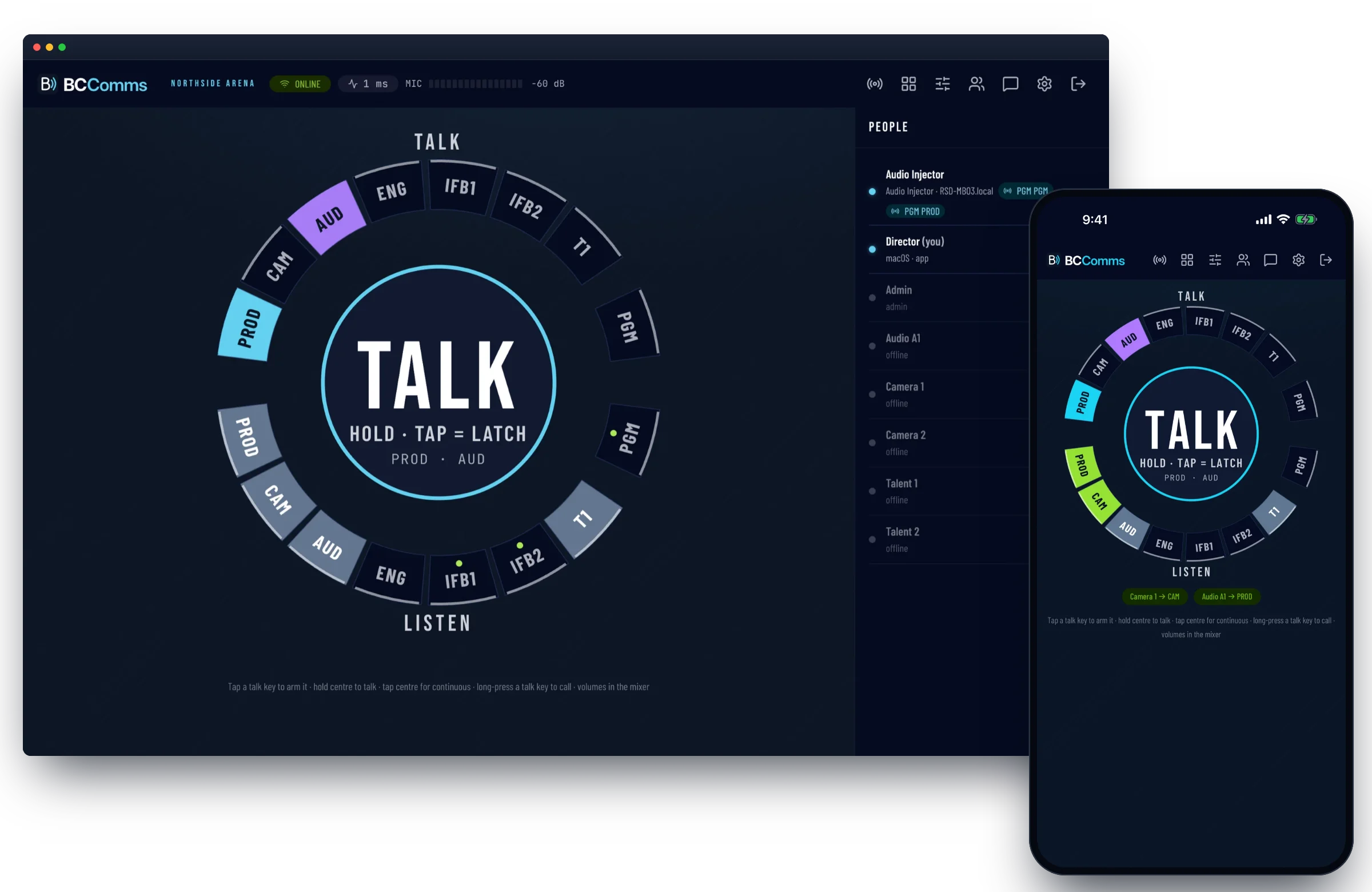
BCComms puts a hardware-style key panel on the phones, tablets and computers a crew already carries. Arm several channels and hold to talk, give talent IFB that ducks under the director, and patch the whole system into Dante.

iPhone & iPad available now · Android coming soon

vs. rented packs no hardware· 5 platforms· Dante in and out· 3 to 100 users
BCComms on a desktop and an iPhone: the talk and listen dial with PROD and AUD armed and the crew list showing who is online.
Hold to talk, tap to latch
Dial or grid · several channels at once · VOX
IFB with ducking
Program dims under the director · per-listener level
Dante in and out
Any channel, both ways · gain + meters · mix-minus
Every device, one server
iPhone & iPad · Mac · Windows · web · Android soon
Hands-free PTT
Bluetooth PTT buttons · desktop hotkeys
Hosted or on-site
Dedicated cloud server · or one click on a venue PC
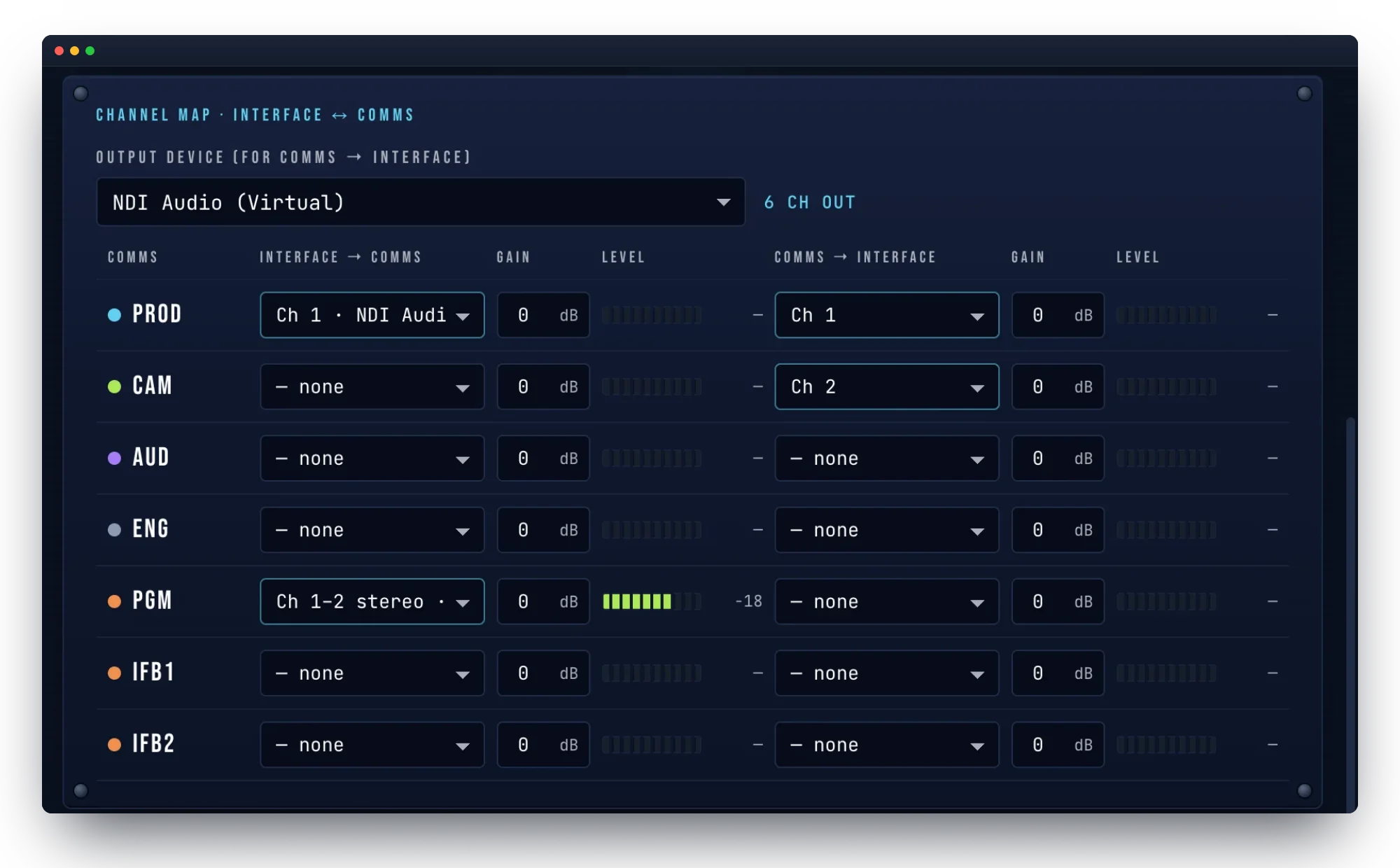
BCComms Audio Injector channel map: PROD fed from interface channel 1 and sent back out, CAM sent out, and a stereo program feed with a live level meter.
Audio Injector

Patch comms into Dante like 4-wire ports.

Every comms channel gets an input and an output. Feed a console's program mix to talent IFBs, bring another intercom's party line in, or hand PROD to an announce booth. Works with Dante Virtual Soundcard, Dante Via and any Mac or Windows audio interface.

Pricing

Pick a product. Get a quote.

Each product is licensed independently — buy the one you need today, add the others as your operation grows. Custom multi-product bundles available for series, sanctioning bodies, and production companies.

02 · Radio & replay

SpotterNet

Every radio call, recorded, transcribed and ready to air.

Custom
Quoted per series or venue
  • Live transcription on every radio channel
  • AI highlights scored 1–5, cars named
  • Two playout decks over Dante, auto-bleep
  • Producer & announcer clip requests
  • X32, Companion & Stream Deck triggers
03 · Production Ops

ProdStaff Live

Schedule, staff, and crew the whole broadcast season — from one link.

Per producer
Includes crew seats · PWA install
  • Season schedule with public event links
  • Staffing overview — confirmed, pending & open
  • Public crewing job board
  • Run of Show, call sheets & equipment tracking
  • Show Pack PDF, CSV & .ics exports
04 · Cloud production

SpeedProd.App

Cloud vMix production, ready when the show is — run it from anywhere.

Monthly base
Usage on top · VPN access included
  • Cloud vMix boxes in minutes, across regions
  • SRT inputs — 2 standard, up to 15
  • SpeedGFX overlays as browser sources
  • Live timing data straight to graphics
  • The Control Room: monitoring, endpoints & costs
05 · Intercom

BCComms

Broadcast intercom and IFB on the devices a crew already carries.

Hosted or self-hosted
iPhone app available · Android coming soon
  • Party lines & IFB with automatic ducking
  • iPhone & iPad app, Mac, Windows & web — Android coming soon
  • Dante in and out, with mix-minus
  • Hands-free PTT & desktop hotkeys
  • Unlimited channels & program feeds
See plans & licences
Also available
SpeedRegPro White-label race registration
EventDay Snocross event scoring
Bundle & save

Running multiple products? Series, sanctioning bodies, and production companies get bundled pricing across the stack. Tell us your setup and we'll put together a quote.

Why SpeedTools

Built by people who actually run
race day.

SpeedTools isn't a generic broadcast tool that picked up motorsports as a vertical — every product on this page was built by a live-production team for their own race weekends, then hardened until it was ready for yours. Buy it, install it, run a race with it this weekend.

Ready to go on air

Put your next race
on SpeedTools.

Get a walkthrough of the software, see live overlays running, and find the right license tier for your operation. Most demos take 30 minutes.

Typical reply within 24 hours
Also from SpeedTools
SpeedRegPro White label
White-label race registration that runs under your brand — self-hosted, reseller-friendly.
EventDay Snocross
Snocross event scoring — entry list to final standings, heats, LCQs and season points in one app.